How to change your server MOTD
The MOTD, or "message of the day", is the short line shown under your server name in the Minecraft multiplayer list. Along with your icon it is the only thing players see before they decide to click.
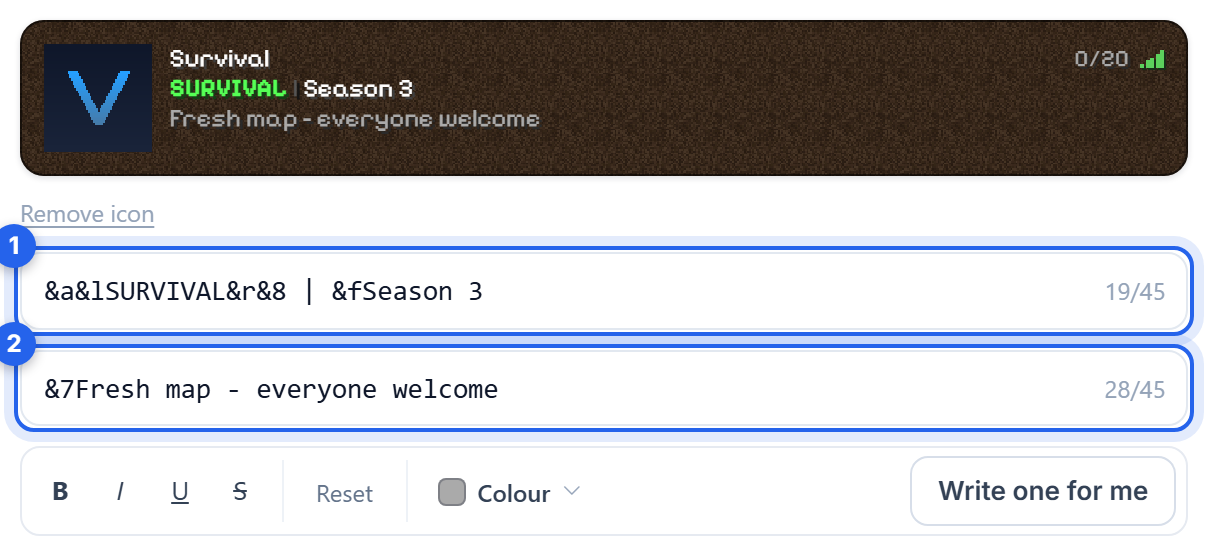
Set your MOTD
- Open the Settings tab.
- Type your message into the Message of the day box.
- Save, then Restart the server.
Stuck for words? Click Generate and we will write one for you based on what your server is about.
Keep it short
The multiplayer list gives you two short lines and cuts off anything longer. Aim for around 45 characters per line. Long MOTDs are not truncated politely, they simply vanish off the edge for the player.
What works: what the server is, and why to join. "Survival SMP, no griefing, 24/7 Australian host" tells a player more than "Welcome to my awesome server!!!".
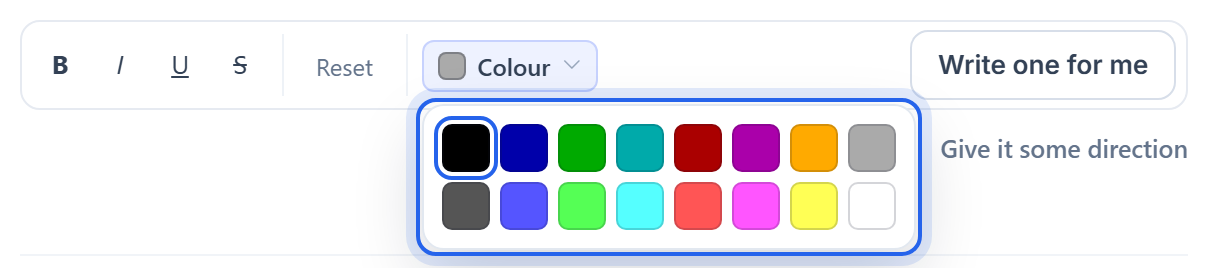
Colours and formatting
Turn on Use Minecraft colour codes and you can colour the line with & codes:
&alight green,&2dark green&baqua,&9blue&6gold,&eyellow&cred,&4dark red&dpink,&5purple&fwhite,&7grey,&8dark grey,&0black
Formatting codes work too: &l bold, &o italic, &n underline, &r resets back to normal.
So &6Survival SMP &7| &aNo griefing gives you a gold heading, a grey divider and a green tagline.
The codes only take effect with that toggle on. With it off the codes are shown to players literally, which looks like a mistake. If your MOTD is showing
&6in the server list, that toggle is the reason.
Was this helpful?
Still need help? Contact support.
