Using the console and commands
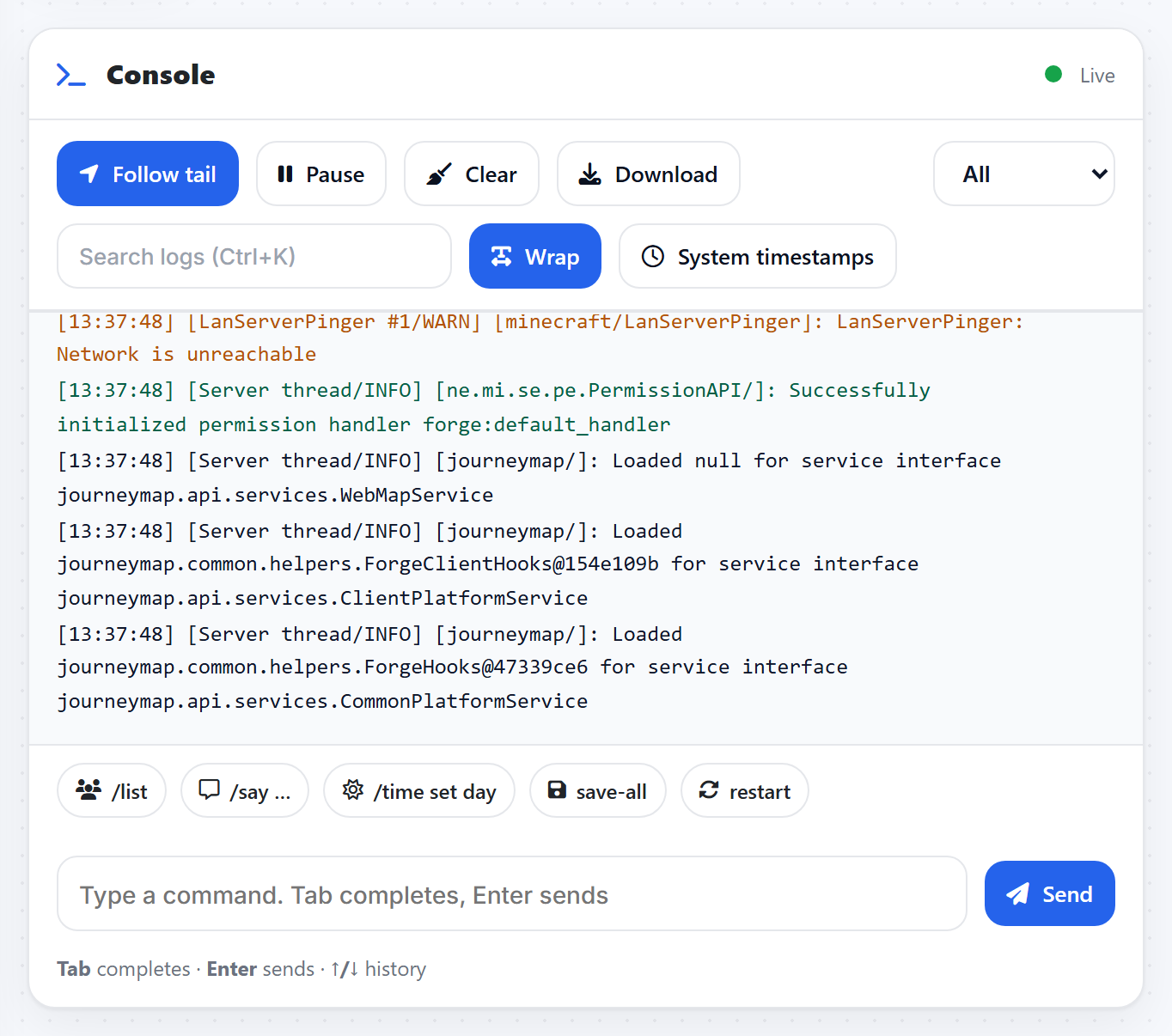
The console is your live window into the server. It shows everything the server is doing, and it is where you type commands.
Reading the log
The main panel streams the server log in real time. Follow tail keeps it pinned to the newest line. You can Pause to read back, Search for a word, or Download the whole log if you need to send it to us.
Running a command
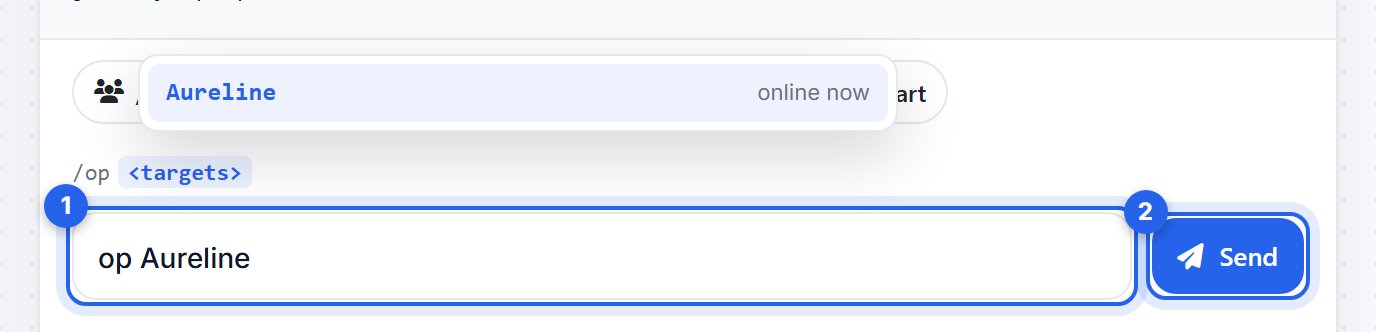
Type into the box at the bottom and press Enter. You do not need the leading slash, though it works either way. A few you will use a lot:
listshows who is online.say Hello everyonebroadcasts a message in chat.time set daysets it to daytime.weather clearstops the rain.op YourNamemakes you an operator.
The quick buttons above the input drop common commands in for you.
Commands only run while the server is Running. If the box is greyed out, start the server first.
Related: Make yourself a server operator
Was this helpful?
Still need help? Contact support.
