How to change the view distance
View distance sets how many chunks the server sends out around each player. It is the single biggest lever you have over server performance, and usually the first thing to change when things get choppy.
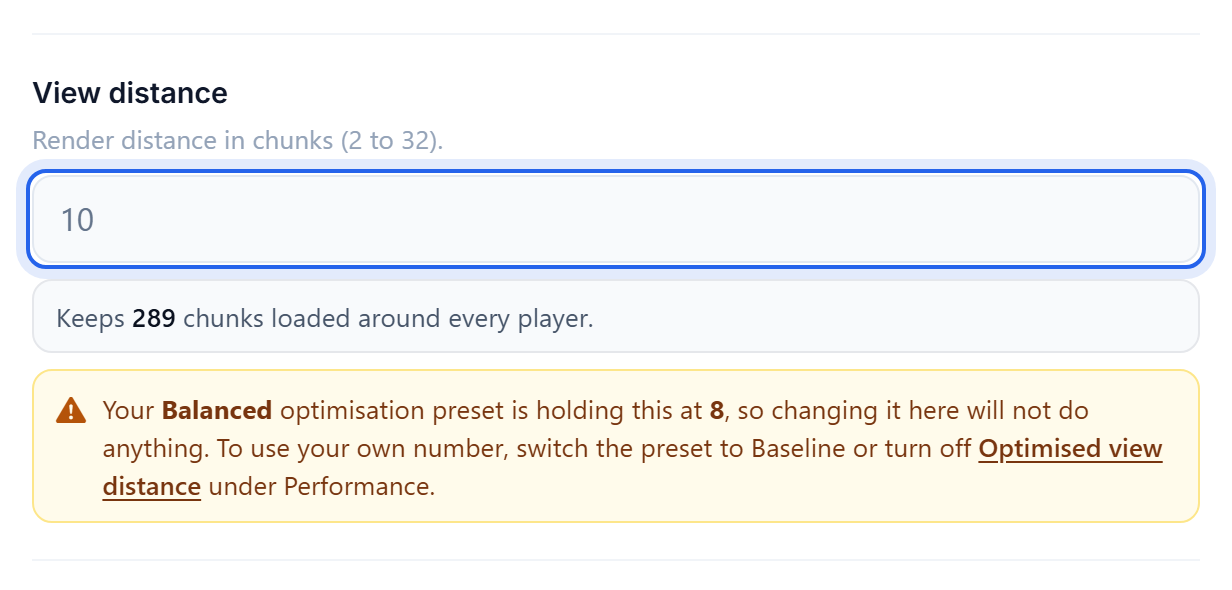
Change it
- Open the Settings tab.
- Set View distance.
- Save, then Restart the server.
What to set it to
The cost is not linear. View distance 16 is not twice the work of 8, it is closer to four times, because the server is loading a square area around every single player.
- 10 is a good default and what most servers should sit on.
- 6 to 8 if the server is struggling, or if you run a modpack or a busy survival world.
- 12 or more only on a small, well-resourced server with few players. Past 12 the returns for players are small and the cost is steep.
Players will not usually notice a drop from 10 to 8. They will absolutely notice the lag that comes from leaving it at 16 with ten people online.
View distance vs simulation distance
These are different settings and it is worth knowing which does what:
- View distance is how far players can see. Lowering it reduces what the server has to send.
- Simulation distance is how far things actually happen: mobs move, crops grow, redstone ticks, furnaces smelt. Lowering this is what really cuts CPU work.
If you have both, drop simulation distance to 6 first. It saves more than view distance does and players notice it less, though be aware that farms outside that radius stop running.
If it is still slow
See How to reduce server lag, or add memory with Give your server more RAM.
Was this helpful?
Still need help? Contact support.
